Quick answer
Power Planner is a solid, free homework and grade planner — and if you need it on Windows, Mac or the web, it's hard to beat. Students usually look for an alternative when they want things it doesn't do: attendance tracking, a bunk calculator, study-time planning, a focus timer or habits. The best Power Planner alternative for that is ClassTrack — free on Android, with your timetable, assignments, exams and GPA plus a live attendance %, bunk calculator and an AI assistant that builds your timetable from a photo. Want an LMS-synced study scheduler instead? Look at Shovel. Need a free web planner? My Study Life.
How this guide was made. Written by Prince Kumar and reviewed by the ClassTrack team. Every price, platform and feature for Power Planner and Shovel was checked against the developers' official websites and Google Play listings on 16 October 2026 — sources are linked at the end. Disclosure: ClassTrack publishes this guide and is one of the apps compared. We say plainly where competitors are better; read our editorial policy.
Power Planner at a glance
| What it is | A homework planner and school organiser with grade and GPA calculation |
|---|---|
| Developer | BareBones Dev, LLC (Redmond, Washington, USA) |
| Platforms | Windows 11, Mac, iOS, Android and web, with cloud sync |
| Price | Free and ad-free; optional one-time Premium (under $5) — no subscription |
| Free-plan limits | Premium is needed for more than 5 grades per class and unlimited semesters |
| Google Play | 4.5★ from about 1.5K reviews, 100K+ downloads (16 Oct 2026) |
| Best at | Weighted grades, GPA across semesters, "What If?" grade planning, cross-device sync |
| Not listed in its features | Attendance %, bunk calculator, study-time scheduling, focus timer, habits |
Why students look for a Power Planner alternative
Power Planner does its core job well. The reasons students switch are almost always about what's missing, not what's broken:
- No attendance tracking. If your college has a 75% attendance rule, Power Planner can't tell you your percentage per subject or how many classes you can miss. That's the number-one question for students in India and many other countries — see our attendance below 75% guide.
- It tracks due dates, not study time. Power Planner reminds you an assignment is due. It doesn't help you plan when you'll actually study for it — the part a real study planner should do.
- Grade limits on the free plan. More than five grades per class and multiple semesters need the Premium unlock. It's cheap and one-time, but it's still a paywall on the feature it's best known for.
- No focus or habit tools. You'll need a separate Pomodoro timer and habit tracker.
- Mixed feelings about the new AI. Power Planner added an optional AI assistant in 2026. Some long-time users on Google Play welcomed it; others didn't want it at all. It's opt-in, so this is a matter of taste.
What a good study planner app needs
- A recurring class timetable with rooms and reminders.
- Assignments and exams with countdowns, so nothing sneaks up on you.
- Study scheduling — turning due dates into study blocks (try our free exam study planner to see how).
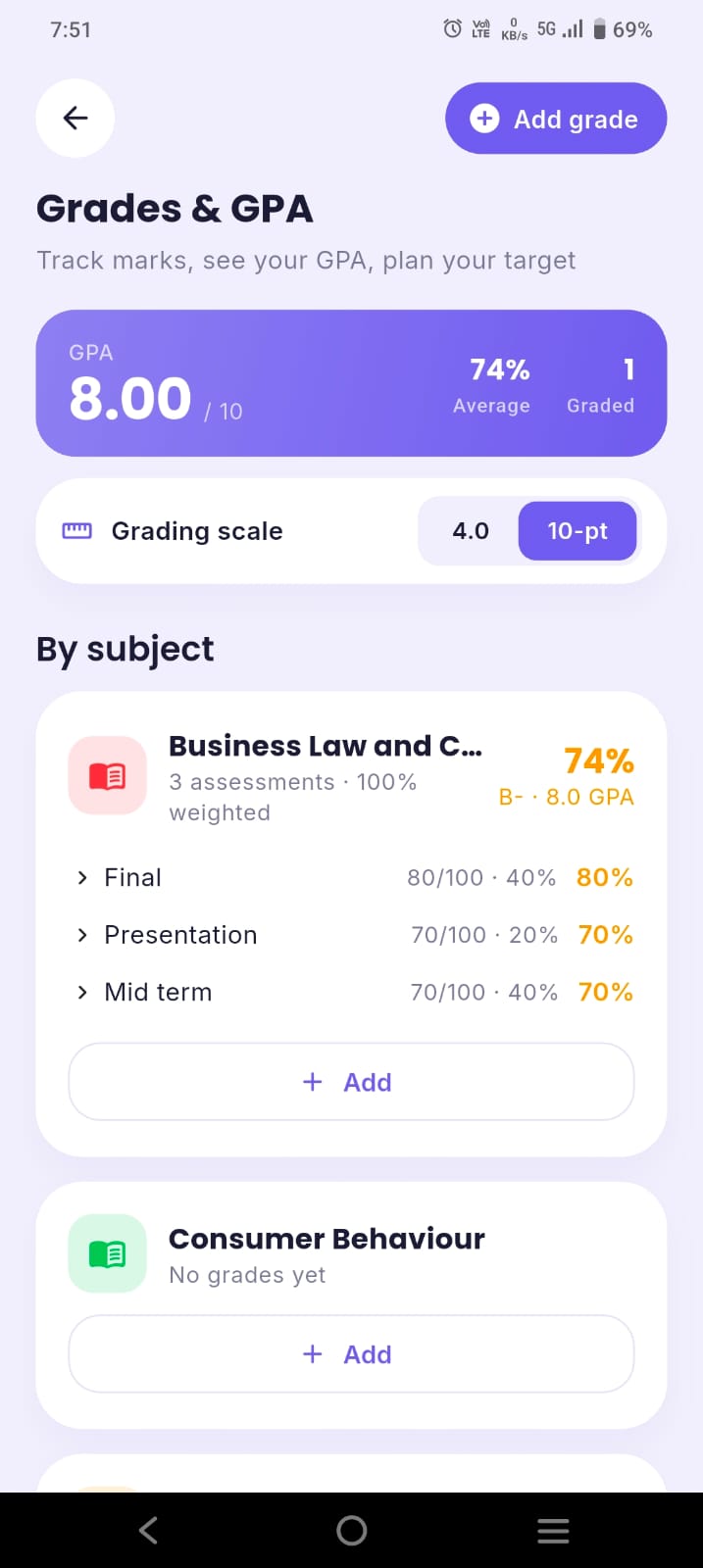
- Grades and GPA on your scale (4.0 or 10-point).
- Attendance % and a bunk calculator if your college enforces a minimum.
- Focus timer and habits, so studying actually happens.
- Fast setup — ideally import your timetable instead of typing it.
The 6 best Power Planner alternatives in 2026
1. ClassTrack — best for attendance + study planning on your phone
Best for: college students who want one app for timetable, attendance, exams, GPA and focus.
ClassTrack matches Power Planner's timetable, tasks, exams and GPA, then fills the gaps above:
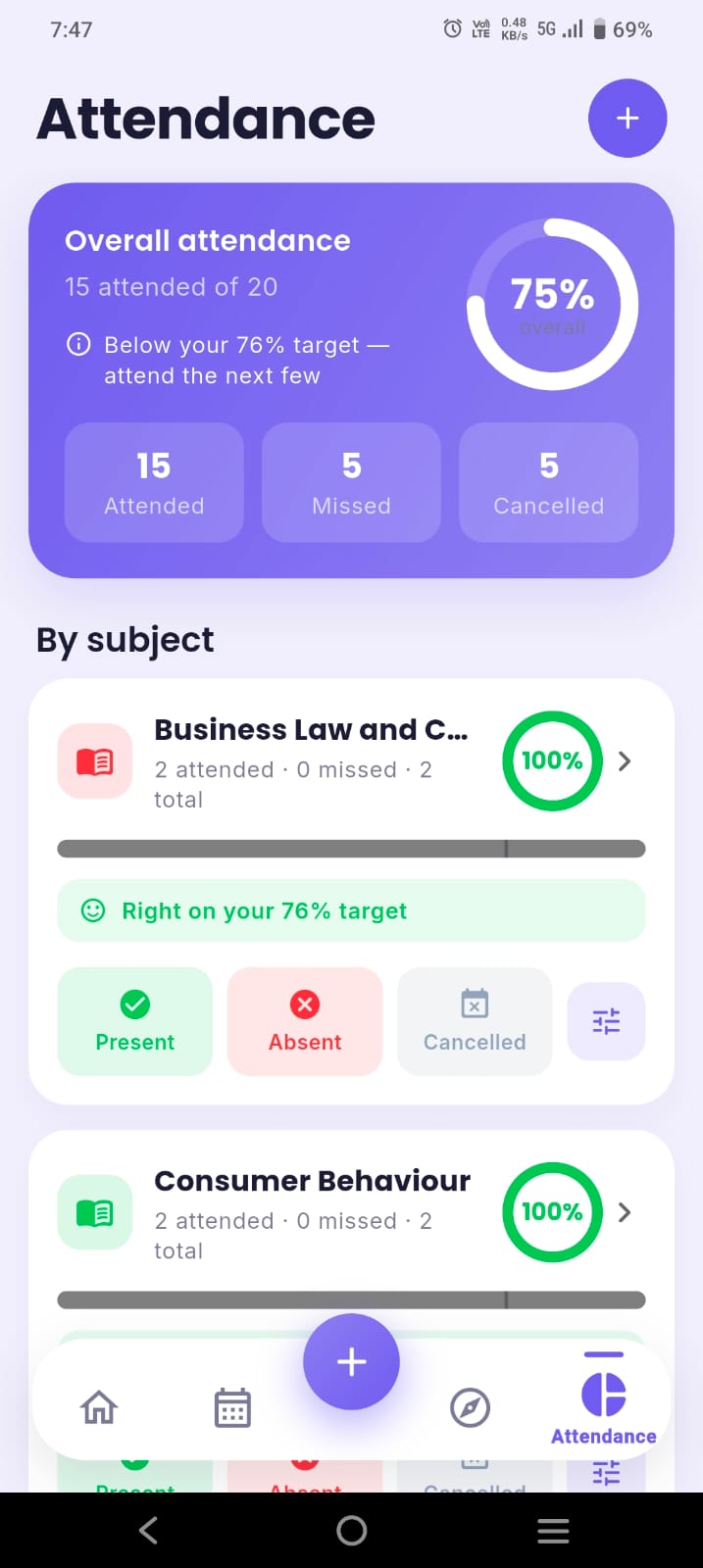
- Live attendance % per subject — mark present, absent or cancelled.
- Bunk calculator — set a target (e.g. 75%) and see how many classes you can skip or must attend. Try it below.
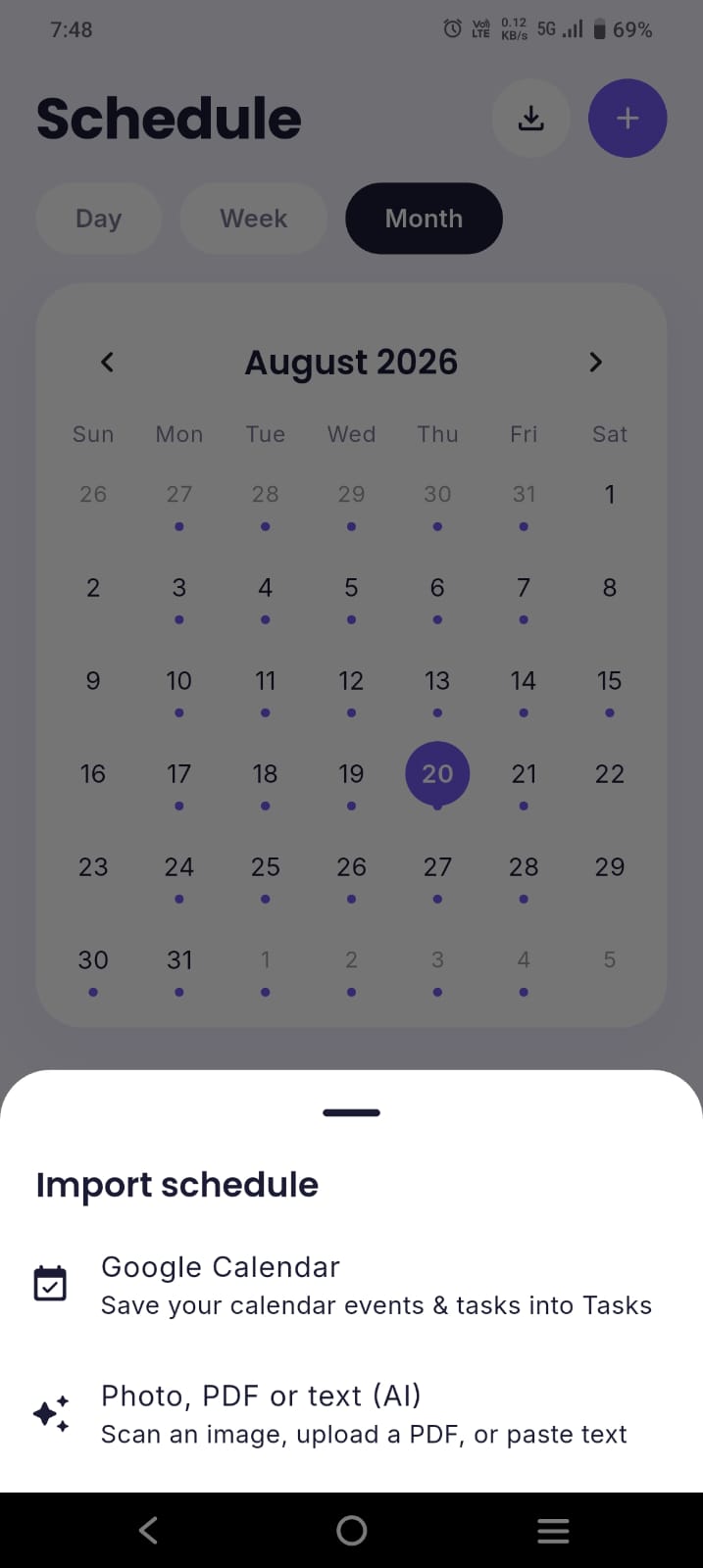
- AI timetable import (Google Gemini) — build your schedule from a photo, PDF or pasted text.
- Exam countdowns, Pomodoro focus timer, habit streaks, tasks and budget tracking, plus a feed of scholarships, internships and student perks.
- GPA on a 4.0 or 10-point scale.
Price: attendance tracking, the bunk calculator, timetable and to-do list are free, with a monthly allowance of AI messages. Pro is $2/month or $14.99/year and adds unlimited AI and timetable imports, an AI weekly study plan, notes and flashcards, Google Calendar sync and data export. Platforms: Android now; iOS coming soon. Trade-off: no desktop or web app yet.
2. My Study Life — best free cross-platform swap
Best for: students who want Power Planner's simplicity and a web version, at no cost.
My Study Life is a free timetable, homework and exam planner on web, iOS and Android, with strong support for rotating (week A / week B) schedules. Like Power Planner it doesn't track attendance; unlike Power Planner it has no built-in GPA calculator. Full breakdown: My Study Life alternatives.
3. Shovel — best for planning study time around deadlines
Best for: US college students on Canvas, Brightspace, Moodle or Google Classroom who struggle with time management.
Shovel is the opposite of Power Planner in one useful way: it's built around study time, not due dates. It estimates how long each task takes and shows a "Cushion" — whether you have enough free time before each deadline. It can import a PDF syllabus or sync with your LMS. The catch: it's paid only after a 7-day trial ($9.79/month or $39/year in October 2026), and the mobile apps need setup in the web app first. See Shovel alternatives.
4. iStudiez Pro — best for Apple-ecosystem students
Best for: iPhone, iPad and Mac users who want schedule, assignments and grades in one place.
iStudiez Pro is the closest like-for-like to Power Planner on Apple devices, with a planner, assignments and GPA. It doesn't do attendance percentages or study-time scheduling.
5. Notion — best if you want to build your own system
Best for: students who enjoy customising and want notes and planning together.
Notion can become any planner you design, using databases and templates. It needs real setup and formulas for grades, and it won't send class-by-class reminders or calculate bunks for you. Compare: ClassTrack vs Notion.
6. Google Calendar — best free bare-bones option
Best for: students who only need classes and deadlines on a calendar.
Google Calendar is free and syncs everywhere, and Power Planner itself can push to it. Pair it with time blocking for a free study planner — but there's no GPA or attendance. Guide: add your timetable to Google Calendar.
Feature comparison table
| Feature | ClassTrack | Power Planner | My Study Life | Shovel |
|---|---|---|---|---|
| Class timetable | Yes | Yes | Yes | Yes |
| Assignments & exams | Yes | Yes | Yes | Yes |
| Grades & GPA | Yes | Yes (5 grades/class free) | No | Weighted grades |
| Attendance % & bunk calculator | Yes | No | No | No |
| Study-time planning | Planner, focus timer, AI study plan (Pro) | No | No | Yes (Cushion) |
| Timetable import | AI from photo, PDF or text | Manual | Manual | PDF syllabus & LMS sync |
| Platforms | Android (iOS soon) | Windows, Mac, iOS, Android, web | Web, iOS, Android | Web, iOS, Android |
| Price | Free; Pro $2/mo or $14.99/yr | Free; Premium one-time <$5 | Free | 7-day trial, then $9.79/mo or $39/yr |
Competitor details as listed on official sites and Google Play on 16 October 2026. Prices can change — check the developer's site before you buy.
Where Power Planner still wins
- Desktop and web. Power Planner runs on Windows, Mac and the web. If you plan on a laptop, that matters — ClassTrack is mobile-only for now.
- Pay once, forever. A one-time Premium purchase under $5 with no subscription is excellent value.
- Grade planning. Its weighted grades and "What If?" mode for planning target scores are mature and well-liked.
- Transparency. Its mobile apps are open source on GitHub.
If you mostly care about grades and need a desktop app, stay with Power Planner. Switch if attendance, study planning or focus tools are what you're missing.
Try the feature Power Planner doesn't have
This is the same bunk calculator built into ClassTrack. Enter your numbers to see how many classes you can safely skip — or how many you need to attend to recover.
Bunk calculator
Live results as you type.
How the maths works: bunk calculator explained.
Which app is right for you?
What do you need from a study planner?
Tick everything that matters to you.
Need a desktop or web planner instead? Choose Power Planner or My Study Life. Need deadline-based study-time planning with LMS sync and don't mind paying? Choose Shovel.
How to switch from Power Planner in 10 minutes
- Screenshot your schedule in Power Planner's week view.
- Import it with AI in ClassTrack and review the classes it creates.
- Re-add exams and assignments so countdowns and reminders start.
- Enter grades and attendance so far for each subject.
- Set your attendance target (e.g. 75%) to switch on the bunk calculator.
Key takeaways
- Power Planner is free, cross-platform and great for grades — keep it if you need a desktop app.
- It doesn't track attendance, plan study time, or include focus and habit tools.
- ClassTrack is the best alternative for attendance, bunk calculation, AI timetable import and focus on Android.
- Shovel is best for deadline-based study-time planning with LMS sync, but it's paid.
- My Study Life is the best free web-based swap.
Try the Power Planner alternative built for college
ClassTrack gives you timetable, attendance, bunk calculator, exams, GPA, focus timer and an AI study assistant — free on Android. Snap your timetable and you're set up in minutes.
Get ClassTrack freeFrequently asked questions
What is the best Power Planner alternative?
Is Power Planner free?
Does Power Planner track attendance?
What platforms is Power Planner on?
Can I move from Power Planner without retyping my timetable?
Sources (checked 16 October 2026)
- Power Planner official website — features, platforms and Premium pricing: powerplanner.net.
- Power Planner on Google Play — rating, downloads, free-plan limits and developer details: play.google.com.
- Power Planner mobile apps source code: github.com/powerplanner.
- Shovel pricing page: shovelapp.io/pricing.
- ClassTrack features and pricing: classtracks.app.
