Quick answer
The best study planner is the one that turns your deadlines into study sessions with a set time, and that you'll actually open every day. Our picks for 2026:
- Best all-in-one for college (Android): ClassTrack. Free. Timetable, exams, tasks, focus timer, GPA and attendance in one app.
- Best free planner on every device: MyStudyLife. Web, iPhone and Android, with rotating timetables. The free plan holds 5 active tasks at a time.
- Best for grades and a laptop: Power Planner. Free, with a one-time Premium under $5.
- Best for knowing when to study: Shovel. Paid after a 7-day trial.
- Best build-your-own: Notion. Free Education Plus plan for university students.
- Best free time blocking: Google Calendar.
- Best paper planner: Passion Planner.
- Best zero-cost setup: a plain notebook plus our free study planner tool.
Not sure which one fits you? The free planner finder picks one from 5 quick questions.
How this guide was made. Written by Prince Kumar and reviewed by the ClassTrack team. We checked every price, plan limit and platform on each product's official website on 13 November 2026. Each planner was judged against the five tests in the next section, which come from research on planning and studying. Disclosure: ClassTrack publishes this guide and is one of the planners listed. We say plainly where other planners are better. Read our editorial policy.
What a study planner should actually do: 5 tests
A planner doesn't raise your grades by itself. A 2021 meta-analysis of 158 studies and 53,957 people found that time management is moderately linked to academic achievement and wellbeing, and to lower distress (Aeon et al., 2021). So planning helps, but only if the planner supports the habits that make it work. We used five tests, each based on research.
- Everything in one place. Classes, assignments, exams and study sessions live in one master list. Two half-used planners are how deadlines get missed.
- Study sessions get a time and a place. Plans that say when and where you'll act ("Tuesday 4 pm, library, chemistry problem set") are carried out far more often than vague goals. A meta-analysis of 94 tests found a medium-to-large effect (d = .65) for these "implementation intentions" (Gollwitzer & Sheeran, 2006). A to-do list alone doesn't do this. A calendar block does.
- It helps you estimate time honestly. In a classic study, students expected their theses to take about 34 days. They took about 56, and fewer than a third finished by their own estimate (Buehler et al., 1994). This is the "planning fallacy". A good planner shows how much time a task needs against the time you have.
- Reminders and repeats. Spreading study over several sessions (spaced practice) is one of only two techniques rated "high utility" in a major review of study methods (Dunlosky et al., 2013). Repeating reviews and reminders make spacing automatic.
- Fast to use. If adding a task takes more than a few seconds, you'll stop doing it. Quick capture and sync across your devices matter more than pretty templates.
Price and platform come next. A planner that doesn't run on the device you carry all day will fail, however good it is.
The 8 best study planners in 2026
1. ClassTrack: best all-in-one study planner for college (Android)
Best for: college and university students who plan on their phone and want classes, deadlines, exams and focus sessions in one free app.
- Good: a recurring timetable with reminders, tasks with priorities, live exam countdowns, a Pomodoro focus timer and habit streaks. It also tracks your attendance percentage per subject, with a bunk calculator, and your GPA on a 4.0 or 10-point scale. An AI assistant (Google Gemini) can build your timetable from a typed description or a photo.
- Watch out: Android and web only for now (iOS is coming soon). No sync with Canvas or Moodle yet.
- Price: the free plan includes attendance, the bunk calculator, timetable, exams, GPA, focus timer, habits, tasks and 20 AI messages a month. Pro is $2/month or $14.99/year and adds unlimited AI, photo timetable import, a home-screen widget and priority sync.
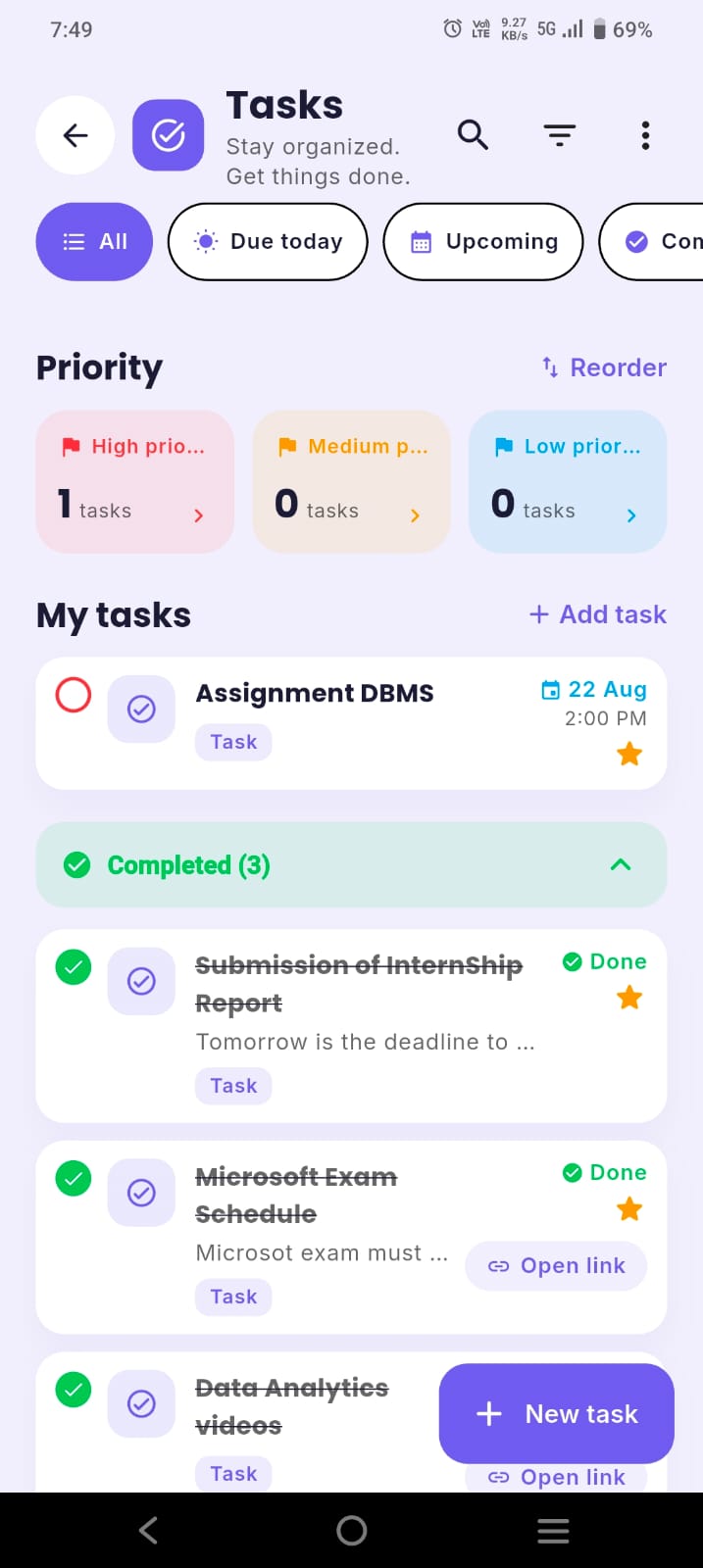
2. MyStudyLife: best free planner for rotating timetables on any device
Best for: school and college students with week A/B, rotating or block timetables who switch between a laptop and a phone.
- Good: the full planner is free on web, iPhone and Android with one account. It handles weekly, rotating, week A/B and block schedules, and shows exams with dates, rooms, seats and countdowns. Your first AI timetable scan with its assistant, Scout, is free. It also has a Pomodoro focus timer.
- Watch out: the free plan allows 5 homework and revision tasks at a time. Unlimited tasks, repeating tasks, calendar sync and unlimited Scout AI need the paid MSL+ plan. No attendance percentage.
- Price: free. MSL+ has a 7-day free trial, and its price is shown in the app.
3. Power Planner: best for grades, GPA and planning on a laptop
Best for: students who want their planner on a Windows or Mac computer as well as their phone, and who track grades closely.
- Good: assignments and exams with automatic reminders, class schedules with rooms, grades per class, GPA across semesters and a "What If?" mode to plan the marks you need. It syncs across Windows 11, Mac, iOS, Android and the web, has home-screen widgets and can show your classes and homework in Google Calendar.
- Watch out: it tracks due dates, not study time, so you still need to block study sessions yourself. Unlimited grades per class and multiple semesters need Premium.
- Price: free. Premium is a one-time purchase under $5 that unlocks on all your devices. No subscription.
4. Shovel: best for working out when to study before each deadline
Best for: students who always know what is due but never know when they'll do it, especially at colleges that use Canvas, Brightspace, Moodle or Google Classroom.
- Good: Shovel is built around study time, not due dates. You estimate how long each task will take, and it shows whether you have enough free time before each deadline. It can import a syllabus and sync with common learning platforms. That directly tackles the planning fallacy.
- Watch out: there's no free plan after the trial. In October 2026 its Google Play listing also said the mobile app needs setting up in the web app first.
- Price: a 7-day free trial, then $7/month (shown as reduced from $9) or $3/month billed yearly on its pricing page on 13 November 2026. Full breakdown: Shovel alternatives.
5. Notion: best build-your-own study planner
Best for: students who enjoy designing systems and want notes, reading lists and planning in one workspace.
- Good: databases let you build an assignment tracker with due dates, estimated hours, status and links to your notes. Notion's template gallery has many free student planner templates to start from.
- Watch out: setup takes time, and redesigning the dashboard can replace actual studying. It won't send class-by-class reminders or work out study time for you unless you build that.
- Price: free plan for individuals. Students and teachers at accredited colleges and universities can switch to the Education Plus plan for free with their school email (not available for school-age K-12 accounts). Compare: ClassTrack vs Notion.
6. Google Calendar: best free planner for time blocking
Best for: students who already live in Google and want a simple, reliable way to give every study session a time slot.
- Good: free, syncs to every device and handles recurring events and reminders well. It's the easiest way to apply the "when and where" rule from test 2: each study block is an event with a time and a location.
- Watch out: it's a calendar, not a study planner. It won't track grades or exam prep or tell you if you're behind.
- Price: free with a Google account. How-to: add your timetable to Google Calendar and time blocking for students.
7. Passion Planner: best paper study planner for goal setting
Best for: students who think better on paper and want to link weekly study to bigger goals.
- Good: dated (January–December 2027, or mid-year July 2026–June 2027) and undated versions, in weekly and daily layouts and three sizes. The weekly layouts have hourly time blocks. Each planner starts with a "Passion Roadmap" goal-mapping exercise and includes monthly reflections. You can download a free digital student planner sample to try the layout first.
- Watch out: no reminders. You have to carry it, and there's no backup if you lose it.
- Price: varies by size and frequent sales, so check the official store. Writing a schedule by hand may help you remember it a little: people who wrote a schedule in a paper notebook recalled simple details more accurately than tablet or phone users (Umejima et al., 2021). See digital vs paper planner.
8. A plain notebook + a free online planner: best zero-cost setup
Best for: students on a tight budget or anyone who wants to start today.
- Good: build your weekly study schedule with our free study planner tool or the exam study planner, then copy it into any notebook. One page per week: classes on the left, study blocks on the right, top three tasks at the top.
- Watch out: no reminders. Set one phone alarm for each big deadline.
- Price: the cost of a notebook.
Comparison table
| Planner | Type | Free plan | Paid option | Platforms | Plans study time? |
|---|---|---|---|---|---|
| ClassTrack | App | Yes, all core tools | Pro $2/mo or $14.99/yr | Android, web (iOS coming soon) | Focus timer and exam planner |
| MyStudyLife | App | Yes, 5 active tasks | MSL+ (7-day trial) | Web, iPhone, Android | AI revision plans in MSL+ |
| Power Planner | App | Yes, grade limits | One-time Premium under $5 | Windows, Mac, iOS, Android, web | No, due dates only |
| Shovel | App | 7-day trial only | $7/mo or $3/mo yearly | Web, iOS, Android | Yes, core feature |
| Notion | Workspace | Yes | Education Plus free for university students | Web, desktop, mobile | Only if you build it |
| Google Calendar | Calendar | Yes | None needed | Web, iOS, Android | Yes, by time blocking |
| Passion Planner | Paper | Free digital sample | Paper planner (price varies) | Paper | Yes, hourly blocks |
| Notebook + free tool | Paper | Yes | None | Paper + browser | Yes, by hand |
Prices and plan limits as shown on each official website on 13 November 2026. They can change, so check before you pay.
Free planner finder: which study planner suits you?
Find your study planner
Answer 5 quick questions. Everything runs in your browser. Nothing is sent or stored.
The finder is a starting point, not a verdict. Try your top match for one full week before you decide.
How to set up any study planner in 20 minutes
- Add your classes (3 min). Enter your timetable once as repeating events. In apps that offer it, import it from a photo.
- Add every deadline and exam (5 min). Go through each course outline or syllabus and enter every assignment, quiz, lab and exam date. This is the step most students skip, and it's the one that stops surprises.
- Estimate hours, then add 50% (3 min). Write how long each item will take. Then add half again, because of the planning fallacy. Aim to finish two or three days before the real deadline.
- Block study sessions with a when and where (5 min). Put this week's study into your calendar: "Wed 5–6 pm, library: stats problem set 3." Use 25–50 minute blocks. The Pomodoro technique works well here.
- Add spaced reviews (2 min). For each topic you learn, add short review sessions about 1 day, 3 days and 7 days later. Use self-testing in those sessions, such as blurting or active recall.
- Set a 10-minute weekly review (2 min). Pick a fixed time, such as Sunday evening, to add new deadlines and plan next week. Our guide on how to use a student planner walks through this routine.
Mistakes that make study planners fail
- Two master lists. If deadlines live in an app and a notebook, one will fall behind. Choose one master. Paper can hold today's short list only.
- To-do lists with no times. "Revise biology" never happens. "Thursday 7 pm, desk, biology chapter 4 blurt" usually does.
- Over-designing. An hour of colour-coding or dashboard building feels productive, but it isn't studying. Keep the setup under 20 minutes.
- No buffer. Plans that fill every hour break on the first sick day. Leave at least one free evening a week.
- Planning but not sleeping. A plan that relies on late nights backfires. See what sleep research says about all-nighters.
How we checked this guide
Prices, plan limits and platforms come from each product's official website, checked on 13 November 2026. The Shovel setup note comes from its Google Play listing, which we checked on 16 October 2026. Where a price isn't published on the website (MyStudyLife's MSL+), we say so instead of guessing. The five tests come from the peer-reviewed sources listed below, and we kept each research claim to what those papers' abstracts and published summaries state. We'll update this page when plans change. Read our editorial policy to see how we research and compare apps.
Key takeaways
- The best study planner gives each study session a time and place. A to-do list alone isn't enough.
- Pick by device first: ClassTrack for Android and the web, MyStudyLife for any device, Power Planner for laptops, Passion Planner for paper.
- Shovel is the strongest at planning study time, but it's the only paid-only option here.
- Add 50% to your time estimates. Students in one study took about 56 days for work they expected to take 34.
- Keep one master planner and review it for 10 minutes every week.
Plan your week in one free app
ClassTrack is a free student planner for students around the world. Add your timetable, every deadline and exam, then use the focus timer to get the study sessions done. Attendance tracking and GPA are built in.
Get ClassTrack freeOn a laptop? Use ClassTrack on the web
Frequently asked questions
What is the best study planner for students?
What is the best free study planner?
Is a paper or digital study planner better?
What should a study planner include?
How much time should I plan for each assignment?
Do study planners actually improve grades?
Sources
- Aeon, B., Faber, A., & Panaccio, A. (2021). Does time management work? A meta-analysis. PLOS ONE, 16(1), e0245066. Read the paper
- Buehler, R., Griffin, D., & Ross, M. (1994). Exploring the planning fallacy: Why people underestimate their task completion times. Journal of Personality and Social Psychology, 67(3), 366–381.
- Gollwitzer, P. M., & Sheeran, P. (2006). Implementation intentions and goal achievement: A meta-analysis of effects and processes. Advances in Experimental Social Psychology, 38, 69–119.
- Dunlosky, J., Rawson, K. A., Marsh, E. J., Nathan, M. J., & Willingham, D. T. (2013). Improving students' learning with effective learning techniques. Psychological Science in the Public Interest, 14(1), 4–58.
- Umejima, K., Ibaraki, T., Yamazaki, T., & Sakai, K. L. (2021). Paper notebooks vs. mobile devices: brain activation differences during memory retrieval. Frontiers in Behavioral Neuroscience, 15, 634158.
- Official product pages checked 13 November 2026: MyStudyLife MSL+, Power Planner, Shovel pricing, Notion for education, Passion Planner specs, ClassTrack pricing.